
RAM & GPU Prices in Pakistan 2026 | Gaming PC Guide
If you have recently checked RAM and GPU prices in Pakistan, you may have experienced a real-life jump scare.
One week, you are planning a powerful gaming PC. The next week, the same budget barely covers the graphics card, and your dream build suddenly needs another round of financial negotiations.
Rising PC component prices are not simply a local shop trend. Global demand for artificial intelligence infrastructure, limited memory supply, exchange-rate movements, import costs, and demand for newer graphics cards are all affecting the price of gaming hardware.
So, should you build a gaming PC now, wait for prices to fall, or select more affordable components?
Let’s break it down.
Why are RAM prices increasing?
RAM prices are rising primarily because global memory supply is under pressure.
Modern artificial intelligence data centres require enormous quantities of specialised memory. Memory manufacturers are consequently prioritising high-demand products
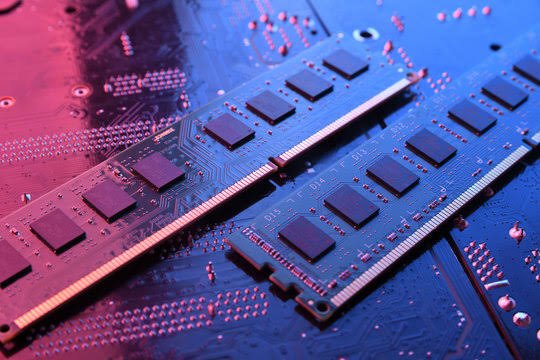
for AI servers and enterprise systems, placing additional pressure on conventional memory used in desktops, laptops, and gaming PCs.
According to TrendForce, conventional DRAM contract prices were forecast to increase by approximately 90% to 95% quarter over quarter during the first quarter of 2026. PC DRAM prices were expected to more than double during the same period because of limited supply and strong demand from AI and data-centre customers.
Although retail prices do not always increase by the same percentage as global contract prices, changes at the manufacturing level eventually affect distributors, retailers, PC builders, and customers.
In Pakistan, the impact can become more noticeable because imported components are also affected by:
- PKR to USD exchange-rate movements
- International shipping charges
- Customs duties and taxes
- Distributor inventory levels
- Product availability
- Local demand for particular RAM kits
This means an affordable 32GB DDR5 RAM kit may become considerably more expensive when replacement stock reaches the market.
Why are graphics card prices rising?
Graphics card prices are affected by more than gaming demand.
GPUs are now used for:
- AI model development
- Machine learning
- Video editing
- 3D rendering
- Game development
- Streaming
- Architectural visualisation
- Cryptocurrency-related workloads
- Professional content creation
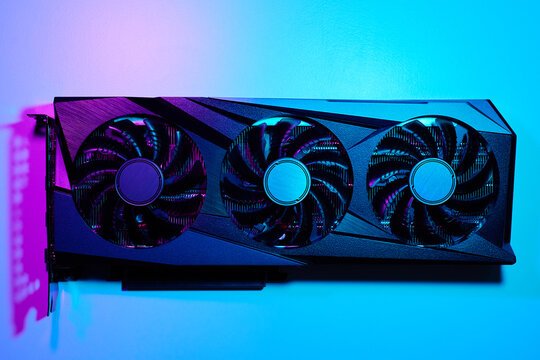
AI servers use specialised GPUs with High Bandwidth Memory, commonly called HBM. Although gaming cards normally use GDDR memory instead of HBM, these different products depend on overlapping semiconductor manufacturing capacity and suppliers.
As manufacturers allocate more capacity to high-margin AI products, consumer graphics cards and their memory can face tighter supply.
The Pakistani market also carries a wide price range. A January 2026 local tracker listed the NVIDIA GeForce RTX 5060 at approximately PKR 101,500 to PKR 134,999, while the RTX 5070 ranged from approximately PKR 205,000 to PKR 255,000. The AMD Radeon RX 9070 was listed between approximately PKR 209,999 and PKR 250,000. These figures vary by brand, cooling design, warranty, condition, exchange rate, and seller.
That is why two graphics cards with the same GPU chip may have noticeably different prices.
Is AI stealing your gaming PC?
Not exactly, but it is definitely checking out some of the same hardware.
Generative AI tools have increased demand for GPUs with substantial processing power and memory. Developers, businesses, researchers, and content creators need GPUs to train or run AI models, while cloud providers need thousands of specialised accelerators for their data centres.
This has changed the graphics card market. A GPU is no longer only a gaming component. It can now serve as a gaming device, editing workstation, 3D-rendering tool, and local AI accelerator.
The good news is that AI can also make gaming better.
Newer GPUs use AI-powered technologies for:
- Image upscaling
- Frame generation
- Noise removal
- Ray-tracing enhancement
- Streaming improvements
- Background removal
- Creative applications
However, you should not pay extra for an “AI PC” label unless the hardware supports your actual requirements. For most gamers, frame rate, resolution, VRAM, cooling, power consumption, and warranty are still more important than marketing terminology.
Should you build a gaming PC now or wait?
Waiting can make sense if you are expecting a new product launch or if your current PC already meets your needs. However, waiting indefinitely for the “perfect” price can become its own game, and the final boss is usually the exchange rate.
Memory-market forecasts continue to indicate supply pressure rather than an immediate return to older prices. In October 2026, TrendForce reported that fourth-quarter DRAM contract prices were expected to rise by approximately 20% quarter over quarter, although the rate of increase was slowing compared with earlier quarters.
Consider purchasing now if:
- Your current PC cannot run the games or applications you need
- You find a component at a reasonable market price
- The product includes a verifiable warranty
- You have selected a balanced configuration
- The build can be upgraded later
- You need the computer for work, study, editing, or income generation
Consider waiting if:
- You are upgrading only for a minor performance improvement
- The desired GPU is substantially overpriced
- You are buying because of online hype rather than need
- A major product launch is approaching
- You have not compared performance benchmarks and warranty terms
The best time to build is not always when every component is cheapest. It is when the overall configuration provides good value and meets your requirements.
How to build a premium gaming PC on a budget
“Premium” should not mean buying the most expensive component in every category.
A premium gaming experience comes from a balanced system, reliable components, effective cooling, clean cable management, and performance appropriate for your monitor.
1. Start with your gaming resolution
Your target resolution should determine your GPU budget.
- 1080p gaming: Suitable for competitive gaming and budget-friendly systems
- 1440p gaming: Offers a strong balance between visual quality and performance
- 4K gaming: Requires a powerful GPU, more VRAM, and a larger budget
Buying a 4K-class graphics card for a standard 1080p monitor may not provide the best value.
2. Do not overspend on unnecessary RAM
For many gaming systems, 16GB RAM remains a practical starting point. A 32GB configuration is better for demanding games, streaming, heavy multitasking, video editing, development, and some AI workloads.
More RAM does not automatically increase gaming performance if your games and applications are not using it.
Where possible, choose a motherboard with extra memory slots so you can upgrade later.
3. Select your GPU based on performance, not the model number alone
Compare:
- Performance at your target resolution
- VRAM capacity
- Power consumption
- Cooling design
- Game benchmarks
- Upscaling and frame-generation support
- Local warranty
- Price difference between competing models
A less expensive GPU that delivers nearly the same frame rate can leave room in your budget for a better power supply, SSD, case, or monitor.
4. Never treat the power supply as an optional side quest
A low-quality power supply can place the entire system at risk.
Choose a reliable PSU with:
- Sufficient wattage
- Appropriate GPU power connectors
- Over-voltage protection
- Over-current protection
- Short-circuit protection
- A recognised efficiency rating
- A meaningful warranty
Saving a small amount on the PSU is rarely worth risking the graphics card, motherboard, and storage.
5. Keep the build upgrade-friendly
A smart gaming PC should allow future upgrades.
Consider:
- Additional RAM slots
- Extra M.2 storage slots
- Sufficient PSU capacity
- Adequate case clearance
- Proper airflow
- CPU platform upgrade options
An upgrade-friendly system can be more affordable over time than replacing the entire PC.
New or used graphics card: which is better?
A used graphics card can offer good value, particularly for a budget gaming PC. However, it carries more risk than a new product.
Before purchasing a used GPU:
- Inspect it for rust, corrosion, or repair marks
- Test its temperatures under load
- Check for visual artifacts
- Listen for unusual fan noise
- Run a gaming or benchmarking test
- Confirm that the video outputs work
- Check whether the card has been opened
- Ask about repair or mining history
- Request a checking warranty where available
A low price is only a bargain if the graphics card continues working.
For customers who prefer predictable support, a new graphics card with a clear warranty may provide better long-term value.
What is the best strategy for Pakistani gamers?
Instead of trying to predict the lowest possible price, use a structured buying strategy:
- Define your total budget.
- Select your target resolution and games.
- Allocate the largest appropriate share to the GPU.
- Compare at least two GPU options.
- Choose a CPU that will not create a major bottleneck.
- Start with the RAM capacity you currently need.
- Invest in a reliable PSU.
- Confirm warranty terms before purchasing.
- Keep an upgrade path for RAM and storage.
- Compare the complete build price, not individual discounts.
This approach helps protect your budget from flashy components that look impressive but do not materially improve your gaming experience.
Ready to build or upgrade your gaming setup?
Explore gaming PCs, graphics cards, RAM, monitors, keyboards, mice, and PC components at Blue Gear. Compare your options, choose the performance you actually need, and build a setup that delivers premium gaming without unnecessary spending.
Final verdict: build smarter, not necessarily bigger
RAM and graphics card prices may remain unpredictable as AI infrastructure competes for global semiconductor and memory capacity. Pakistani customers must also deal with exchange-rate fluctuations, import costs, availability, and varying warranty arrangements.
That does not mean you need to abandon your gaming PC plans.
It means every component should earn its place in your build.
At Blue Gear, our goal is to help gamers find premium performance at an affordable price. Whether you are building your first 1080p gaming PC, upgrading for 1440p gaming, or creating a powerful system for gaming, editing, streaming, and AI, focus on value, balance, reliability, and upgrade potential.
Because your wallet should not have to rage-quit before your first match begins.